Changelogs

Smart Live Suggestion

When a prospect speaks, Aside gives you a clear guide on how to respond. Open the Insight tab during the call to see the suggested follow-up.
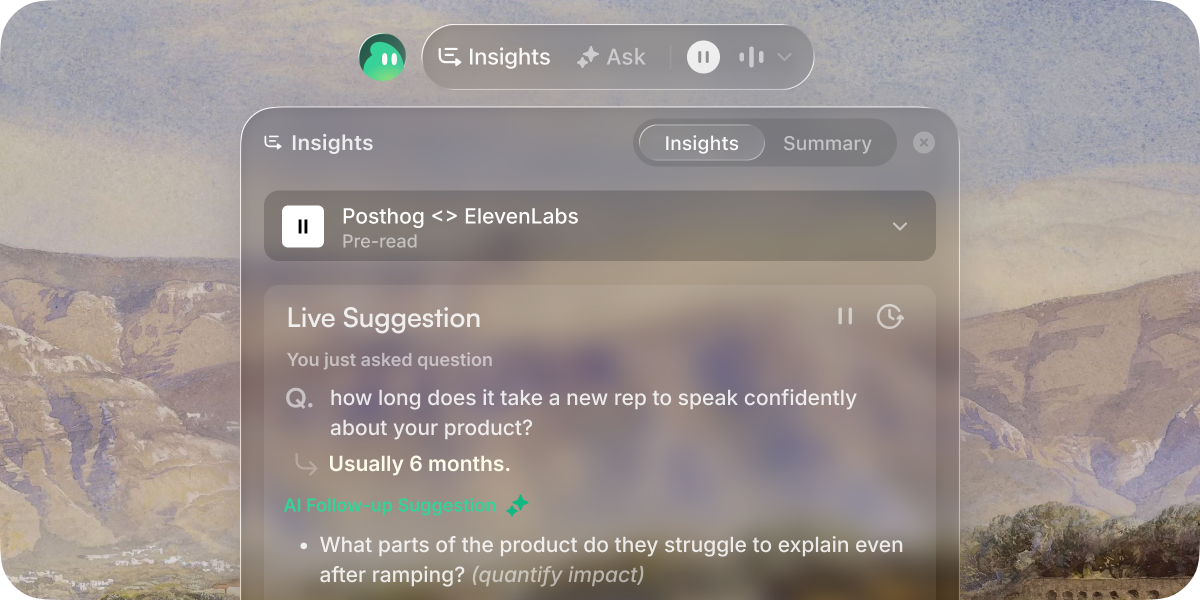
Smart Live Suggestion

Follow-up suggestion

Aside listens to the prospect and surfaces what to say next. You can check the suggestion in the Insight tab.

Past conversation

Connect Gmail to see previous email threads and context. Aside uses it to prepare better pre-readings and live suggestions.

Folders

With folders, it's much easier to organize your meetings and manage access. After each call, just drop the meeting into a folder.

Folders

Multi-language Support

You can now get live suggestions in multiple languages. Supported: Korean, Japanese, Chinese, Spanish, French, German.
Save best answers

When the call ends, Aside extract your best answers from a call. You can click [Save] and they'll appear for otehr reps' calls.

Keyword boosting

Aside pulls participant / product names from your meeting context and transcribes them precisely. It improves the accuracy of live suggestion.

Call Scenario

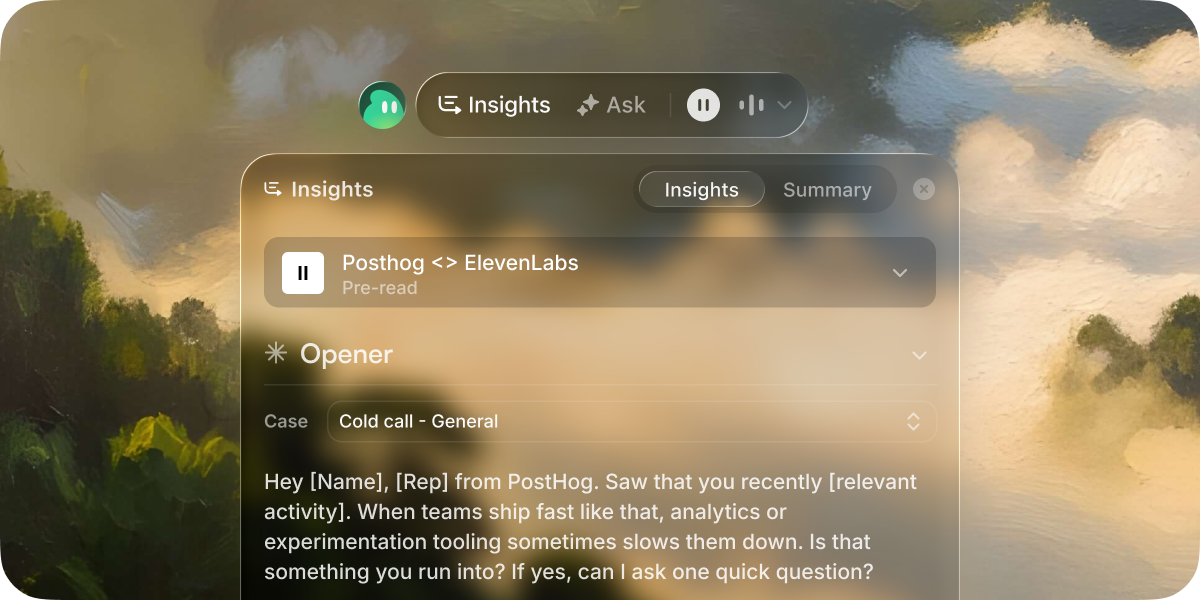
When you’re running back to back cold calls, it’s easy to forget who you’re talking to, how to open, what to ask, or which CTA to use.

We built a simple cheatsheet, so you can stay on track and handle each call with confidence.

Call Scenario

Templates

Set up opener and CTA templates for each case so you can quickly pull them up from the Insight tab during your sales calls. (e.g. Cold call from security compliance platform)

Must ask questions

List the key questions you never want to miss. Aside listens to the call and checks them automatically.

Coaching & Feedback

Messed up a sales call? What if AI remember it so you never repeat the same mistake again?

Coaching & Feedback

Scoring & Feedback

After each call, Aside highlights what went well and what needs work. It gives you a clean postmortem so you know exactly where to improve next.

Let Aside remember

With a single click, Aside saves your best lines and brings them back automatically on your next call.

Import from past calls

Just copy and paste your past call transcript. Aside will pull out your best rep answers and surface them during the sales calls.

You can import your past calls under [Live suggestion] > [Cue cards].